Compatible Entities
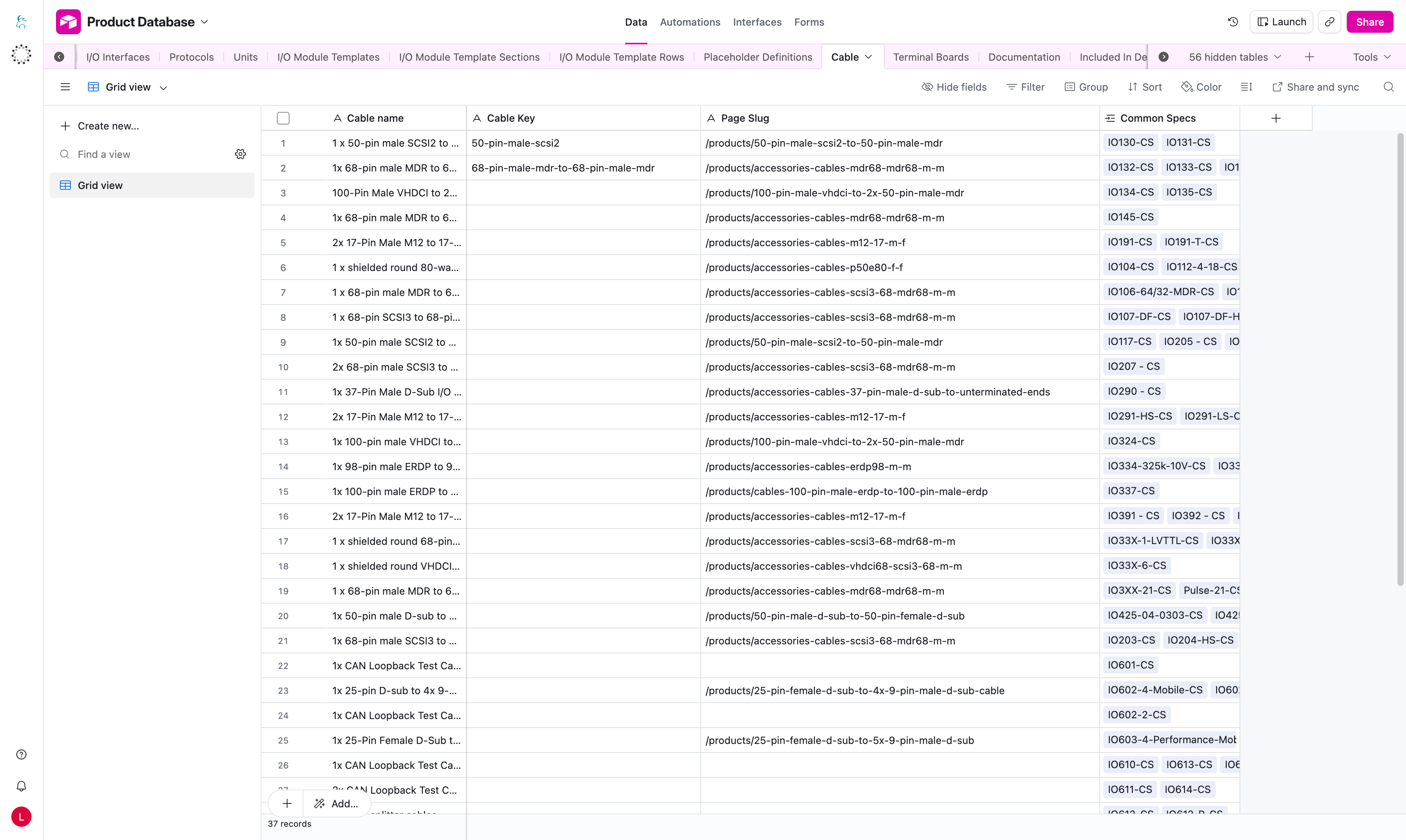
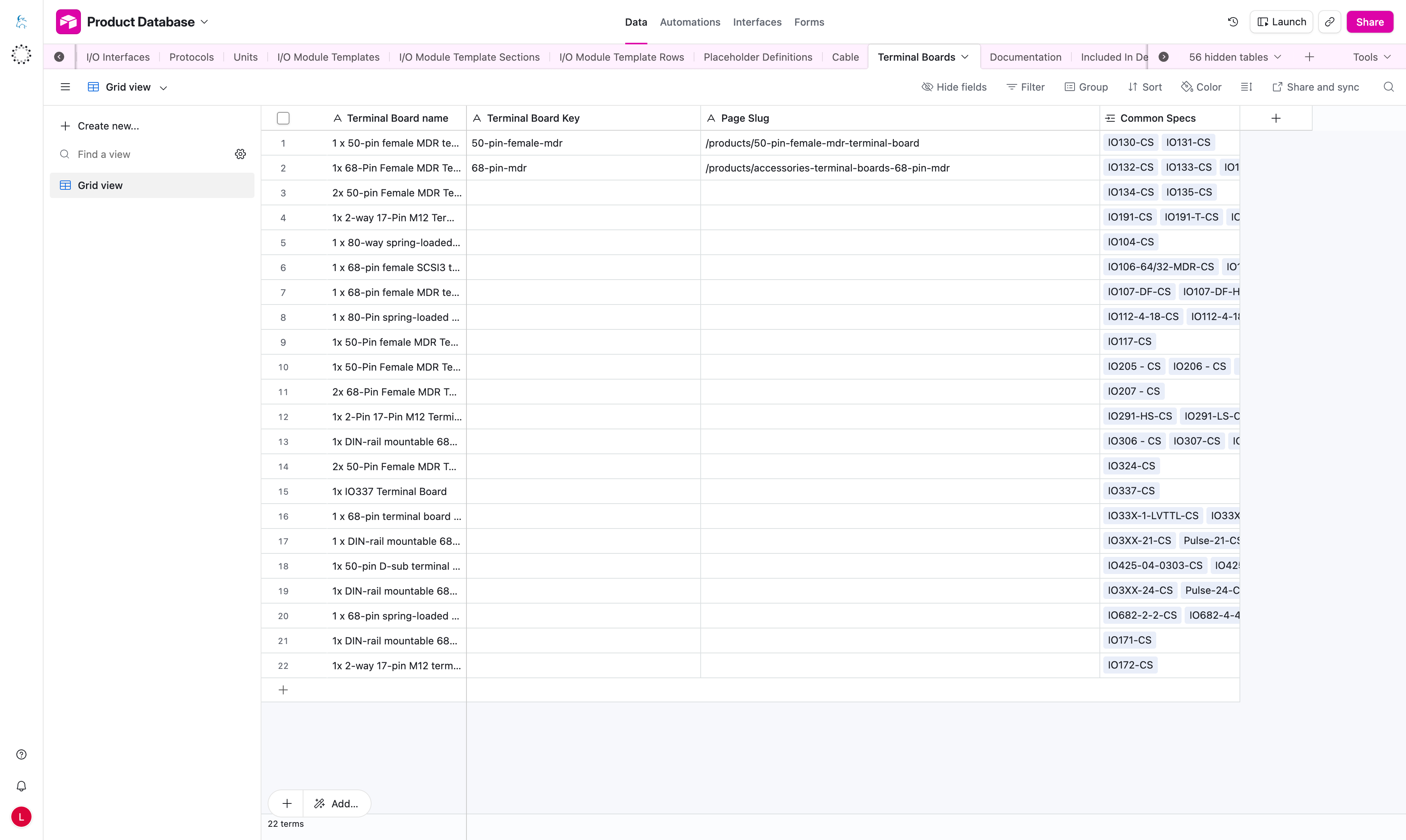
The compatible entity tables store records that can be linked automatically from product pages.
Tables Covered
CableTerminal BoardsDocumentation
Important Columns
| Column | What it means |
|---|---|
name column | Clear editor-facing record name, for example Cable name, Terminal Board name, or documentation name. |
Key column | Stable key such as Cable Key, Terminal Board Key, or Documentation Key. |
Page Slug | URL path used as the target link. |
Common Specs | Links the entity to compatible Common Specs records. |
How These Tables Work Together
- Fill in
Page Slugfor every compatible entity record. - Keep keys stable and easy to read.
- Use clear names so editors can tell records apart.
- Link each compatible entity to the correct Common Specs record.
- Automatic links depend on those Common Specs relationships.
Common Mistakes
- missing
Page Slug - entity not linked to Common Specs
- wrong
Entity Typein Placeholder Definitions - duplicate or unclear keys
- linking to the wrong Common Specs record
note
If multiple compatible entities exist, the system may select the first matching one using deterministic rules. Editors should therefore keep Common Specs links clean and unambiguous.