Textual Info
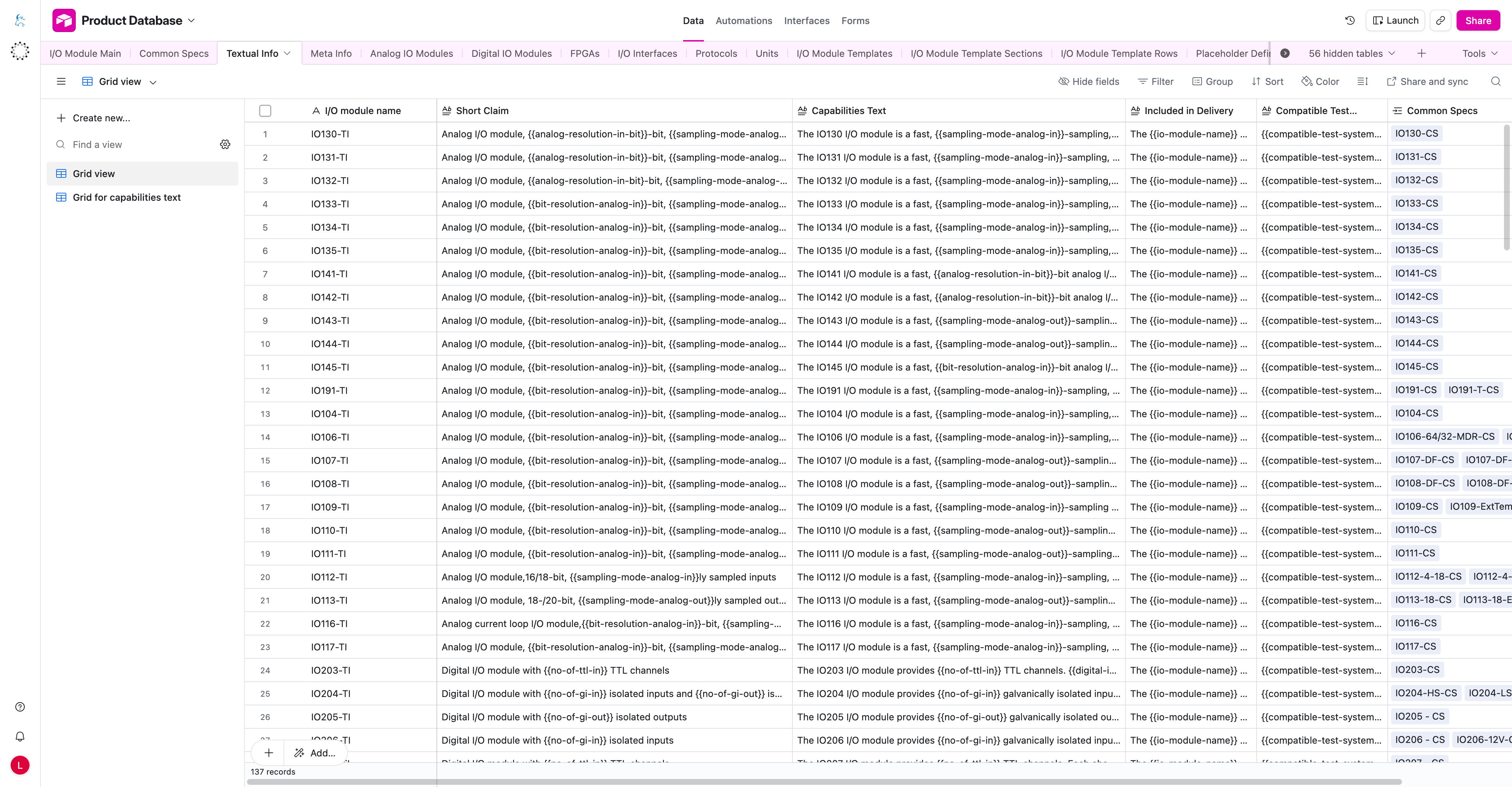
The Textual Info table contains product-facing text snippets for I/O module pages. These records are connected to Common Specs records and can use placeholders that are resolved through Placeholder Definitions.
Important Columns
| Column | What it means |
|---|---|
I/O module name | Helper or editorial name for the textual record. It usually identifies which module or product variant the text belongs to. |
Short Claim | Short marketing or product claim shown where a compact description is needed. It may contain placeholders. |
Capabilities Text | Text used to describe product capabilities. It may contain data, unit, or link placeholders. |
Included in Delivery | Text describing what is included in the delivery. It may contain placeholders such as module name or compatible items. |
Compatible Test Systems | Text or placeholder-based description of compatible test systems. |
Common Specs | Links this textual information to the relevant Common Specs record or records. |
How To Use This Table
- Use this table for text snippets that should appear on product pages.
- Keep the
Common Specsrelation correct so the right text is used for the right product. - Use placeholders when a value should come from Airtable instead of being typed manually.
- Keep the text readable on its own, even when placeholders are used.
Placeholder Syntax
Use placeholders in this format:
{{placeholder-key}}
- Placeholder keys are stored in Placeholder Definitions without the braces.
- Placeholder keys should use kebab-case.
- Text around placeholders can be edited normally.
- Do not manually paste URLs when a link placeholder exists.
note
Use placeholders for values that should come from Airtable instead of typing those values manually.
Common Mistakes
- typo in placeholder key
- using braces inside Placeholder Definitions instead of only in text fields
- missing Common Specs relation
- editing a text record that is linked to the wrong Common Specs
- manually pasting links instead of using link placeholders