Ordering Information
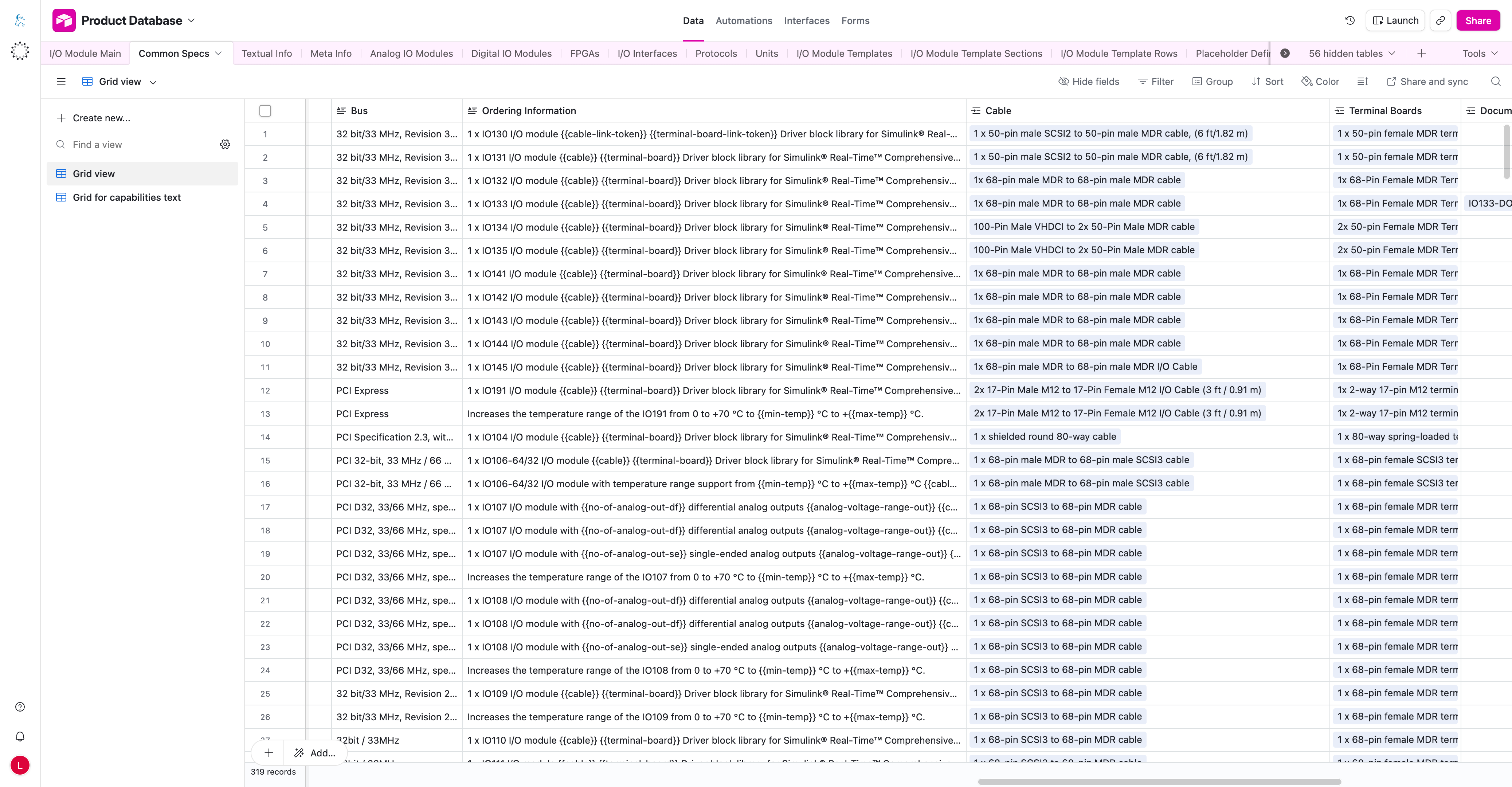
The Ordering Information table feeds the final Ordering Information table on the I/O module product page. It is not just a text field in Airtable.
What The Product Page Shows
The final product page table uses columns similar to:
Item IDProduct NameComponents
How The Airtable Fields Map
- The relevant Common Specs record can become a row in the Ordering Information table.
- The Common Specs item or order ID is used for
Item ID. - The Common Specs display or product name is used for
Product Name. - The
Ordering Informationtext field becomes the renderedComponentscontent after placeholders are resolved.
Important Airtable Fields
| Field | What it means |
|---|---|
Ordering Information | Main text used for the Components column. It can contain regular text and placeholders. |
Cable | Compatible cable records linked to this Common Specs record. Used by {{cable-link-token}}. |
Terminal Boards | Compatible terminal board records linked to this Common Specs record. Used by {{terminal-board-link-token}}. |
Documentation | Documentation records linked to this Common Specs record. Used by {{documentation-link-token}}. |
Automatic Link Placeholders
Recommended placeholder keys:
{{cable-link-token}}{{terminal-board-link-token}}{{documentation-link-token}}
How they work:
- The editor writes the token in the
Ordering Informationtext. - The same Common Specs record must be linked to the correct Cable, Terminal Board, or Documentation record.
- The compatible entity record must have a
Page Slug. - The system renders the token as a link using the
Display Textfrom Placeholder Definitions.
Example
1 x IO112 I/O module {{cable-link-token}} {{terminal-board-link-token}}
Driver block library for Simulink® Real-Time™
{{documentation-link-token}} and Simulink® example models
Installation into the real-time target machine
After rendering, this becomes the Components cell in the Ordering Information table.
note
If a cable or terminal board is not linked to the correct Common Specs record, the automatic link token cannot resolve correctly.
Common Mistakes
- missing
Page Slugon Cable, Terminal Board, or Documentation - compatible entity not linked to the correct Common Specs record
- using old or manual placeholders instead of link tokens
- manually pasting URLs into Ordering Information
- typo in placeholder key
- missing Ordering Information text