Template Sections
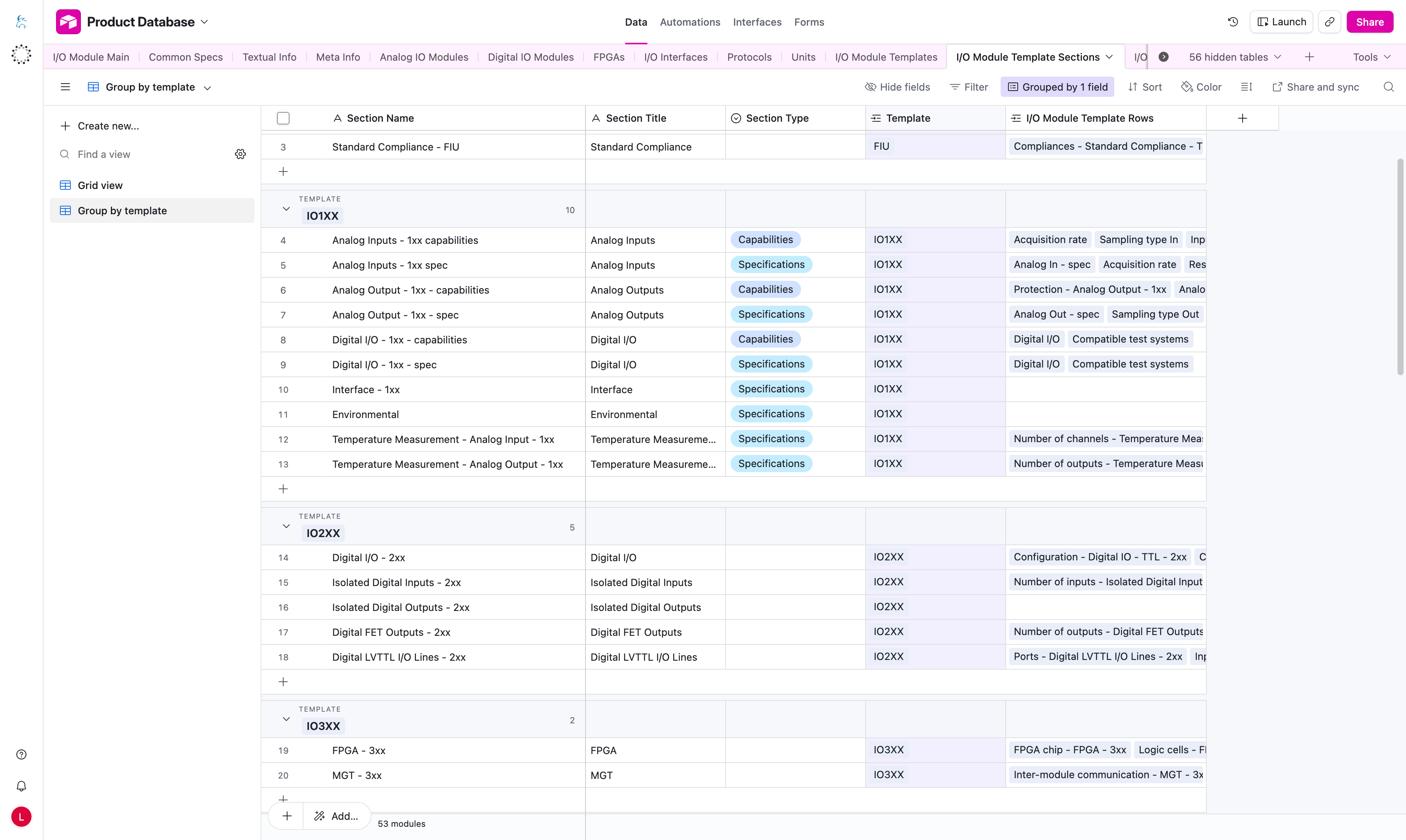
The I/O Module Template Sections table creates the blue section headers inside the Capabilities and Specifications tables, and it can also create accordion items for configuration packages on the product page.
Each section is a table group. The section title appears in the blue header, and the linked rows appear underneath it.
Example On The Product Page
Analog Inputs
  Channels
  Acquisition rate
  Resolution ADC
Analog Inputs is the section title. The rows below it come from Template Rows.
For configuration packages, a section with Section Type = configuration-package becomes one accordion item. The linked rows become the table rows inside that item, and the matching Configuration Package records become the table columns.
Important Columns
| Column | What it means |
|---|---|
Section Name | Internal or editorial name for the section record. |
Section Title | Text shown in the blue section header on the product page. |
Section Type | Decides whether the section appears under Capabilities, Specifications, or as a configuration-package accordion item. |
Package Type | For configuration-package sections, selects which Configuration Package records belong to the accordion item. |
Description (EN) | Optional description shown under the configuration package item title. |
Full-Width Header Row | Optional full-width row shown above the package table. |
Display Order | Optional sort order used when you want to control where the section appears. |
Template | The template that owns this section. |
I/O Module Template Rows | Rows shown inside this section. |
How To Use This Table
Capabilitiessections produce the grouped tables shown under Capabilities.Specificationssections produce the grouped tables shown under Specifications.configuration-packagesections produce accordion items for package variant tables.- Link rows to the correct section so they appear under the right blue header.
- Change
Section Titlewhen you want to change the text in the blue header. - Choose
Section Typecarefully so the section appears in the expected area. - Use
Package Typeto keep package variants grouped correctly. - Use
Description (EN)when a configuration package item needs explanatory text above its table. - Use
Full-Width Header Rowonly for configuration-package sections and enter it aslabel;bodyText.
Full-Width Header Row Format
Full-Width Header Row supports an optional full-width row above the package table.
Behavior:
- an empty value becomes
false - a non-empty value must use
label;bodyTextsyntax - the value is parsed into:
{
  "label": "…",
  "bodyText": "…"
}
On the website, this becomes the full-width header row above the package table.
If the section type is wrong, the section can show up in the wrong table or not appear where editors expect it.
If you want to change the text in the blue header, edit the Section Title.